Whether your LED luminaire is dimmable can usually be read straight from the LED driver's label: terminals marked DA/DA or a DALI logo mean the driver is digitally dimmable via DALI; terminals marked DIM+/DIM− or the designation 1–10 V or 0–10 V indicate an analogue dimming interface. If there is no control terminal at all, just L, N and the LED outputs, the driver generally cannot be dimmed by a control signal. For a sensor retrofit, a 12 V auxiliary output (AUX) and the ability to switch off via the control signal (dim-to-off) also matter.
Where to find the label
In most luminaires the LED driver is not visible from outside. In recessed modular luminaires and panels it is often on the back or in a separate box above the ceiling, in high bay luminaires inside the housing or in an attached driver box, and in trunking systems on the gear tray. Before opening anything: isolate the circuit, secure it against reconnection and verify it is dead. Work on luminaires belongs in the hands of a qualified electrician.
The luminaire's own label usually only states manufacturer, wattage and IP rating. It is still useful: with the manufacturer and article number you can often find the luminaire datasheet, which names the driver or at least states whether the luminaire is dimmable.
The most important markings
| Marking on the driver | Meaning | For a retrofit |
|---|---|---|
| DA / DA, D1 / D2, DALI logo | Digital DALI interface | Suitable for sensors with a DALI connection |
| DALI-2, D4i | Certified DALI devices; D4i with luminaire, energy and diagnostics data | Suitable, D4i also provides data |
| DIM+ / DIM−, "1–10 V" | Analogue interface, usually passive on the 1–10 V principle | Check case by case against the datasheet |
| "0–10 V" | Analogue interface, control signal down to 0 V | Well suited if dim-to-off is supported |
| AUX, 12 V, Vaux, +12V / GND | Auxiliary supply output for sensors and wireless modules | Powers sensors in the luminaire |
| PUSH, Touch-DIM, Switch-DIM | Dimming via a mains push button | No control signal for sensors, check the datasheet |
| only L, N, LED+ / LED− | No control interface | Not dimmable via a signal |
Many drivers carry combined markings such as "DALI / PUSH" or "1–10 V / 0–10 V". What matters is which terminals can actually be used. For drivers whose interface can be switched via software or NFC, the factory setting is given in the datasheet.
Recognising DALI
DALI drivers have two control terminals, usually marked DA, sometimes D1/D2 or "DALI". Polarity does not matter with DALI; data and bus power share the same pair of wires. A DALI-2 logo shows that the device is certified under the DALI Alliance programme. The D4i logo marks drivers that additionally provide luminaire, energy and diagnostics data; an auxiliary supply for control devices is optional with D4i. How to add sensors to DALI luminaires is explained in Retrofitting sensors to DALI luminaires.
Recognising 1–10 V and 0–10 V
Analogue drivers have two control terminals marked DIM+ and DIM−, "+" and "−" or "1…10 V". On drivers following the North American convention, the control wires are often violet and grey. The difference lies in the detail: a classic 1–10 V driver dims down to its minimum level and does not switch off below 1 V, while many 0–10 V drivers can turn off at 0 V.
Recognising the auxiliary output (AUX)
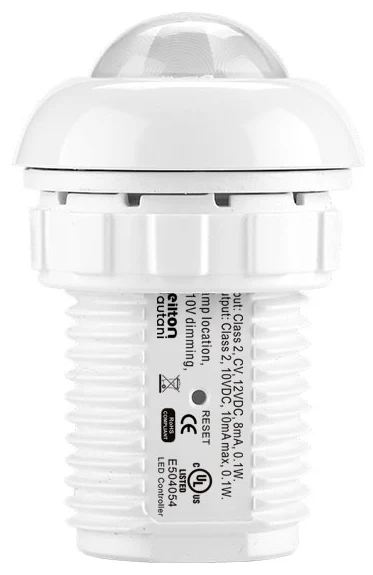
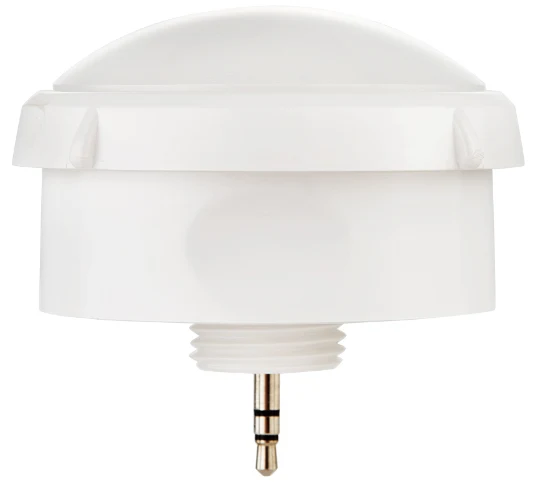
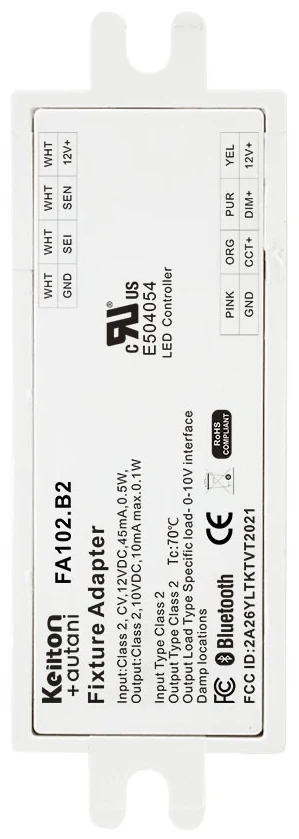
A third terminal block marked AUX, 12 V or +12V / GND indicates an auxiliary supply output. It is the key to the simplest form of retrofit, because sensors such as the IFS105SE, the EFS106 or the Bluetooth node FA102 are powered from 12 V DC according to their datasheets. What to do if the output is missing is covered in The 12 V auxiliary output on LED drivers.
Reading output current and power
Besides the dimming interface, the label shows the electrical ratings. They say nothing about dimmability but matter if a driver is to be replaced:
- Iout or output current: LED drivers mostly work with constant current, for example 350 mA, 700 mA or a range such as 250–1050 mA. On adjustable drivers, a resistor, plug-in module or NFC programming sets the current.
- Uout or output voltage: the voltage range within which the driver can supply the LED modules.
- Pout or output power: the maximum power for the LEDs, for example 40 W.
- λ (power factor), tc (temperature test point on the housing) and the SELV marking complete the data.
If a non-dimmable driver is to be replaced with a dimmable one, output current and voltage range must match the LED module. So note down all values, even if they seem unimportant at first.
Dim-to-off: usually found in the datasheet
For a sensor in the luminaire, it is crucial whether the driver switches off completely via the control signal while staying connected to the mains. Only then can the sensor stay powered and switch the luminaire back on when someone enters. This is rarely printed on the label. In the datasheet look for terms such as "dim-to-off", "standby" or "standby power". If only a minimum dimming level such as 1 % or 10 % is given but no switch-off, a relay is needed to turn the light off.
Send us a photo
The quickest way to settle the question is a photo. Photograph the driver label so it is legible and free of glare, plus the terminal area and, if available, the luminaire's label. Note the mounting height and how the room is used. Send the photos to [email protected]. We check the datasheets to see whether the driver is dimmable, whether there is an auxiliary output and which route makes sense for your luminaires.
What the result means for your retrofit
| Finding | Typical route |
|---|---|
| 0–10 V with dim-to-off and 12 V AUX | Sensor or Bluetooth node directly on the luminaire, e.g. IFS105SE, IFS108, EFS106 or FA102 |
| DALI driver | Sensors with a DALI connection; we match the components to your drivers |
| Dimmable but no AUX, high bay luminaire | EFS104 with its own power supply, relay and 0–10 V dimming |
| Dimmable but no AUX, office luminaire | Check case by case; a driver swap is often cheaper than a new luminaire |
| Not dimmable or fluorescent | LED retrofit first, then sensors |
An overview of the whole process is given in Retrofitting lighting controls in existing buildings. The sensor finder shows which sensor suits your mounting height and room.
Why the check pays off
The driver question sounds like detail work, but it determines the effort of the entire project. If the luminaires are already dimmable, the lighting can be controlled without new luminaires and without new control cables. As a guideline from our projects, sensors alone save more than 60 % of lighting electricity; with daylight harvesting and background lighting the savings potential is up to 92 %. Knowing your drivers also lets you plan early whether a lighting control meets the requirements of Section 56 of the German GModG: non-residential buildings with a heating, air-conditioning or combined ventilation system above 70 kW need automatic lighting control by 31 December 2029. General information, not legal advice.
How we can help
Our focus is retrofitting: we turn existing LED luminaires with dimmable 0-10 V or DALI drivers into smart lighting with sensors and app-based lighting management – without new luminaires and without new control cables. Details under Retrofit.
Send us photos of your driver labels and we will tell you which route suits your luminaires. Installation is usually carried out by us, or by your own electrical contractor if you prefer. Every project includes the AU-Manager, so occupancy detection, zoning and monitoring are included. The quickest way to reach us is via our contact page.
Try it interactively
Sensor finder
Frequently asked questions
How can I tell if my LED luminaire is dimmable?
Look at the LED driver's label. Terminals marked DA/DA or a DALI logo indicate DALI; DIM+/DIM− or 1–10 V / 0–10 V indicate an analogue dimming interface. If there are only mains and LED connections, the driver cannot be dimmed by a control signal. The datasheet for the type designation gives certainty.
What does DA DA mean on an LED driver?
DA/DA are the two terminals of the DALI interface. Digital control commands and bus power run over this pair of wires. Polarity does not matter with DALI.
What do DIM+ and DIM− mean on a driver?
DIM+ and DIM− are the terminals of an analogue dimming interface on the 1–10 V or 0–10 V principle. A DC voltage on this pair sets the brightness. Whether the driver switches off at 0 V is stated in the datasheet.
Where can I find out if a driver supports dim-to-off?
Usually not on the label but in the datasheet, under terms such as dim-to-off, standby or standby power. If only a minimum dimming level is given, a relay is needed to switch off.
What does AUX 12 V on an LED driver mean?
It is an auxiliary supply output that can power sensors or wireless modules in the luminaire. According to their datasheets, sensors such as the IFS105SE, EFS106 or the FA102 Bluetooth node use a 12 V DC supply.